> ## Documentation Index
> Fetch the complete documentation index at: https://flowdrop.mintlify.site/llms.txt
> Use this file to discover all available pages before exploring further.
# Introduction
> Build beautiful workflow editors in minutes, not months.
A drop-in visual workflow editor for any web application. You own the backend.
You own the data. You own the orchestration.
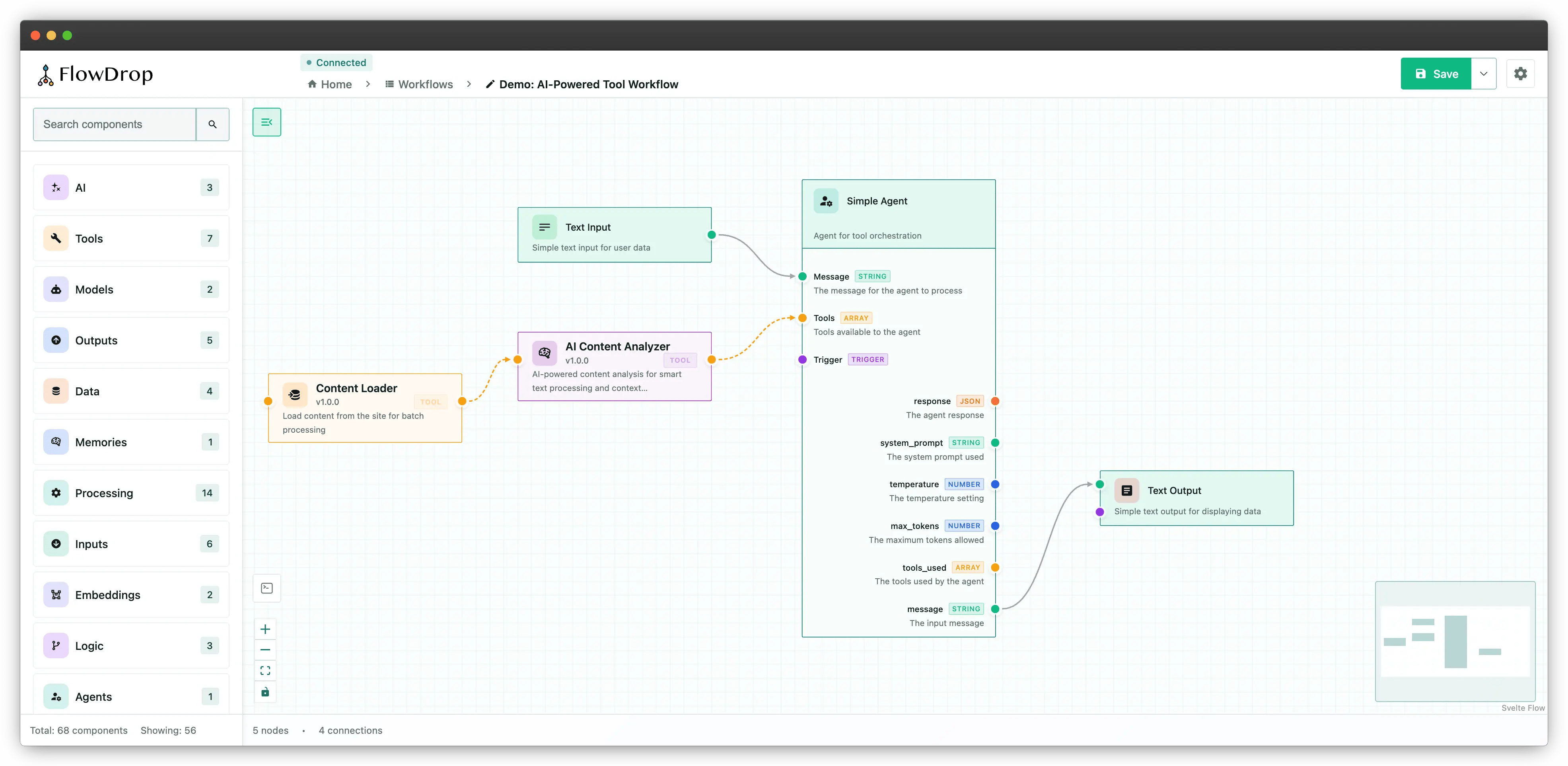 Install `@flowdrop/flowdrop` and mount an editor in minutes.
Understand the mental model before writing any code.
## Who is FlowDrop for?
Building internal tools, CMS platforms, or SaaS products that need a visual
workflow builder. You want a drop-in editor, not a workflow engine.
Designing agent pipelines, RAG workflows, or tool-calling chains. FlowDrop
visualizes the orchestration graph while you control execution.
Creating self-service automation platforms where non-technical users design
workflows through a visual interface.
## Why FlowDrop?
Most workflow tools are SaaS platforms that lock you in. Your data lives on
their servers, your execution logic runs in their cloud, and you pay per
workflow, per user, per run.
**FlowDrop is different.** It is a pure visual editor component library. You
implement the backend. You control the orchestration. Your workflows run on your
infrastructure, with your security policies, at your scale. No vendor lock-in. No
data leaving your walls.
## Features
Drag-and-drop node-based editor with built-in node types, real-time
validation, and auto-layout.
Pure UI component library — connect to any API: Drupal, Laravel, Express,
FastAPI, or your own.
Auto-generate configuration forms from JSON Schema with support for dynamic
fields, UISchema layout, and autocomplete.
Extensible registries for custom node types, workflow formats, and form
field components.
Pause workflows for human approval, input, choices, or review with a
built-in interrupt system.
Test workflows interactively with a chat interface, session management, and
real-time execution feedback.
Use as a native Svelte component or mount into React, Vue, Angular, or
vanilla JS applications.
## Learning path
New to FlowDrop? Follow this path:
[Understand the mental model](/concepts/what-is-a-workflow).
[Install FlowDrop and mount your first editor](/docs/quickstart) in minutes.
[See how all the pieces fit together](/concepts/architecture-overview).
Install `@flowdrop/flowdrop` and mount an editor in minutes.
Understand the mental model before writing any code.
## Who is FlowDrop for?
Building internal tools, CMS platforms, or SaaS products that need a visual
workflow builder. You want a drop-in editor, not a workflow engine.
Designing agent pipelines, RAG workflows, or tool-calling chains. FlowDrop
visualizes the orchestration graph while you control execution.
Creating self-service automation platforms where non-technical users design
workflows through a visual interface.
## Why FlowDrop?
Most workflow tools are SaaS platforms that lock you in. Your data lives on
their servers, your execution logic runs in their cloud, and you pay per
workflow, per user, per run.
**FlowDrop is different.** It is a pure visual editor component library. You
implement the backend. You control the orchestration. Your workflows run on your
infrastructure, with your security policies, at your scale. No vendor lock-in. No
data leaving your walls.
## Features
Drag-and-drop node-based editor with built-in node types, real-time
validation, and auto-layout.
Pure UI component library — connect to any API: Drupal, Laravel, Express,
FastAPI, or your own.
Auto-generate configuration forms from JSON Schema with support for dynamic
fields, UISchema layout, and autocomplete.
Extensible registries for custom node types, workflow formats, and form
field components.
Pause workflows for human approval, input, choices, or review with a
built-in interrupt system.
Test workflows interactively with a chat interface, session management, and
real-time execution feedback.
Use as a native Svelte component or mount into React, Vue, Angular, or
vanilla JS applications.
## Learning path
New to FlowDrop? Follow this path:
[Understand the mental model](/concepts/what-is-a-workflow).
[Install FlowDrop and mount your first editor](/docs/quickstart) in minutes.
[See how all the pieces fit together](/concepts/architecture-overview).