

What you’ll learnHow to configure the API endpoint so FlowDrop knows where to send requests for
loading nodes, saving workflows, and executing pipelines.
Why endpoints matter
FlowDrop is a frontend editor that talks to a backend API for things like:- Loading available node types and categories
- Saving and loading workflows
- Executing workflows and pipelines
- Managing playground sessions
The createEndpointConfig helper
FlowDrop provides a helper that generates a full endpoint configuration from a single base URL:
createEndpointConfig('/api/flowdrop') call sets up paths for all API operations under that base URL.
It also configures sensible defaults: a 30-second timeout and automatic retries with exponential backoff.
Run a backend
A config that points at nothing won’t load nodes or save anything. The fastest way to get a real endpoint is the reference Express server that ships with FlowDrop (apps/example-server-express in the repo). It implements the full API —
nodes, categories, port config, and workflow CRUD — backed by in-memory demo
data, so you have something live to develop against in seconds:
http://localhost:7104 and serves the API under
http://localhost:7104/api/flowdrop. Open that root URL in a browser to see
every endpoint it exposes.
Point the editor at it
Your editor (say, Vite’shttp://localhost:5173) and the API
(http://localhost:7104) are different origins. The cleanest fix — and the one
that mirrors production, where the two are usually same-origin — is a dev proxy,
so the relative /api/flowdrop from createEndpointConfig just works:
vite.config.js
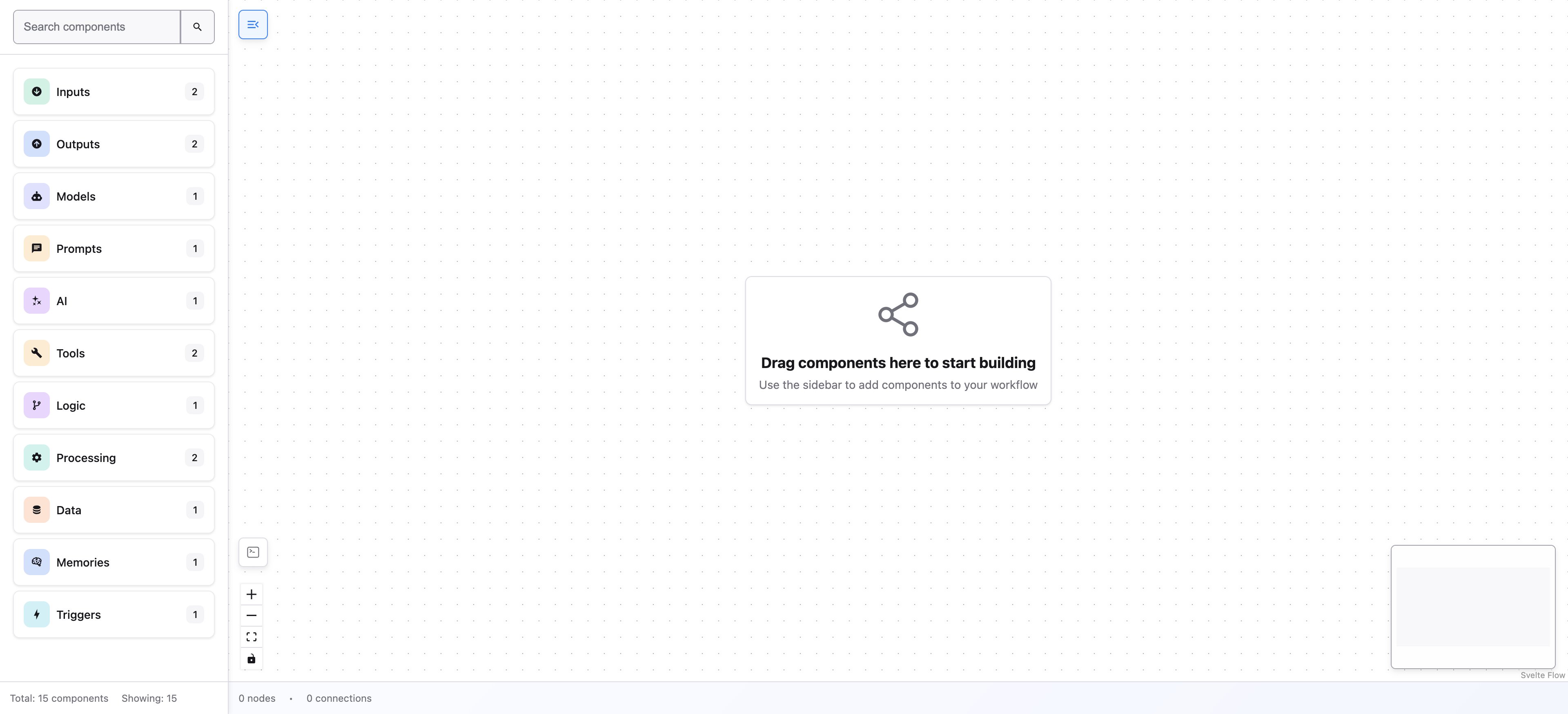
The FlowDrop editor connected to the example server — the sidebar now lists the node types served by the backend.
Customizing endpoints
You can override individual settings by passing a second argument:A backend is what makes the editor useful.You can mount it without one — it renders the canvas and only calls the API
when an action (load, save, execute) fires. But until an endpoint is reachable
it has no nodes to place and nothing to save, so start the example server above
to see FlowDrop actually do something.
What’s next
Now that the editor knows where the API lives, it’s time to define your first node and see it appear in the sidebar.Tutorial — Step 2 of 5 ← Embedding the editor · Next: Your first node →